
Zaphrix
- Industry
- B2B sales & outbound
- Timeline
- 8 weeks
- Platforms
- Chrome extension · Web app
- Year
- 2025–2026
Results
What changed, and how we measured it
25,000+
LinkedIn connections synced
Replies divided by messages sent, across active users
75,000+
Messages sent from the browser
Connections synced across all accounts
32%
Average reply rate
Messages sent from users' own browsers
2min
To set up and connect LinkedIn
Time from install to a connected LinkedIn account
The story
Turn your LinkedIn network into a pipeline.
Challenge
- Scrolling profiles one by one to find the right people took hours.
- Names, titles and companies were copied into spreadsheets by hand.
- Most automation tools ask for your LinkedIn password or session cookie.
- Tools that route activity through unknown proxy servers get accounts flagged.
What we did
- Connect without credentials: The Chrome extension links LinkedIn in one click from the session the user is already signed in to. No password or cookie is ever shared with us.
- Sync the whole network: Connections sync automatically into a searchable list, so there is no copy-paste and the list stays up to date.
- Filter to ideal leads: Advanced filters by name, job title, company, school, and current or past companies narrow thousands of connections to the right few.
- Reach out at a human pace: Personalized templates, a side panel for qualifying leads and built-in safe limits keep outreach fast and natural.
Result
- 25,000+ LinkedIn connections synced and 75,000+ messages sent from users' own browsers.
- A 32% average reply rate across outreach sent through Zavaro.
- Setup in about 2 minutes, with no LinkedIn password or cookie ever shared.
Product
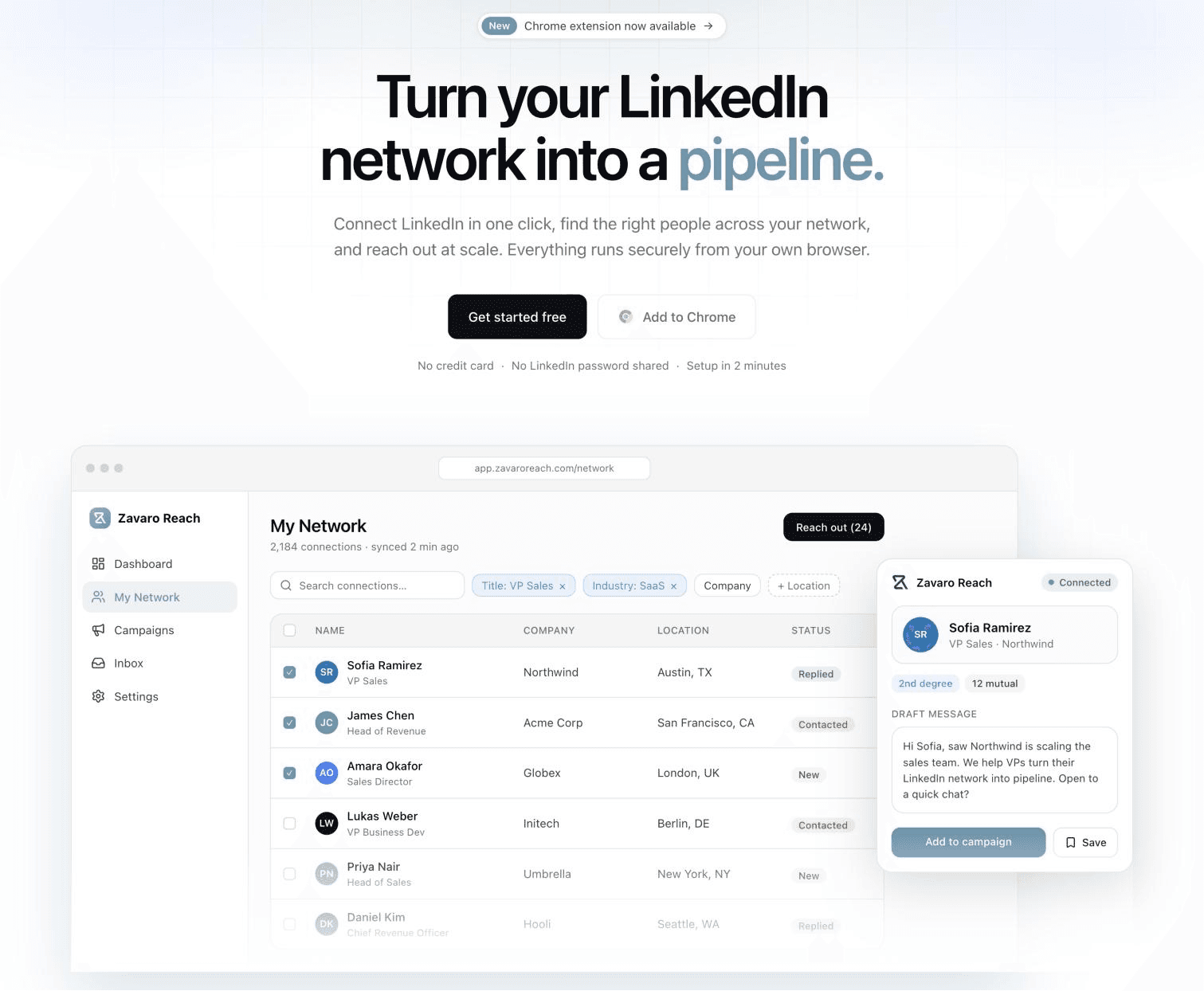
The system in use
How it works
Five steps, every day
Install
The user adds the Zavaro extension from the Chrome Web Store.
Connect
One click links the LinkedIn session already open in the same browser.
Sync
Connections sync into the web app, where they can be searched and filtered.
Qualify
Leads are captured and qualified from the side panel or the network explorer.
Reach out
Personalized messages go out from the user's own browser, and replies are tracked on the dashboard.
What we built
One-click LinkedIn connect
Link your account through the Chrome extension. Your password and session cookie never leave your browser.
Network explorer & advanced filters
Search every connection and filter by title, company, school, and current or past companies.
One-click lead capture
Pull a profile's name, headline, company and location straight into your CRM.
Chrome side panel
Review and qualify leads right next to LinkedIn, without switching tabs.
Personalized outreach
Send messages and connection requests from templates that fill in each person's name and company.
Dashboard & analytics
Track connections, leads captured, messages sent and reply rate over time in one dashboard.
Built with
- Chrome extension
- Chromium browsers
- React
- Python
- FastAPI
- PostgreSQL
- OpenAI
- JWT
- Google sign-in
- Encrypted passwords
Delivery
Discovery & safety model (phase 1) → Extension & network sync (phase 2) → Prospecting workflow (phase 3) → Analytics, plans & growth (phase 4). A team of 2–4 engineers.
Related
Related client cases
Free · 30 minutes · No sales deck
Want results like Zavaro Reach?
Talk to a senior engineer, not a salesperson. You'll leave with three concrete next steps — whether or not you work with us.